

Your Android security patch level records the date of security updates installed on your phone. It is separate from the Android version, which identifies the broader software release.
That date helps you assess device security by showing which vulnerabilities have been addressed. Android devices combine open source components with vendor-specific code, so availability varies by manufacturer, carrier, region, and support lifecycle. Find the exact date, then compare it with your manufacturer’s update record.
Key Takeaways
- The Android security patch level is a full
YYYY-MM-DDdate that identifies installed security fixes; it is separate from the Android version and Google Play system update date. - Check the date in Settings, then compare it with your manufacturer’s update schedule, exact model, region, carrier variant, and support window.
- Patch delivery can vary because manufacturers, chipset suppliers, carriers, and staged rollouts need time to test and approve updates.
- Keep Android system software, Google Play system updates, and important apps current, and replace phones that have reached the end of official security support.
- A custom ROM may extend support on some devices, but it cannot reliably replace official vendor firmware, hardware-specific fixes, or enterprise device support.
What the Android security patch level tells you
The Android security patch level is a date in the YYYY-MM-DD format, such as 2026-07-05. It identifies the security updates included in your installed system software and the vulnerabilities they address.
Google publishes dated Android Security and Update Bulletins that describe fixes for Android components. Each security bulletin covers vulnerabilities in the Android framework, media processing, Bluetooth, and Wi-Fi. It can list Android platform fixes, upstream Linux kernel fixes, and fixes for hardware-specific software.
Android has an open source base that includes the Linux kernel. That open source foundation doesn’t mean every component is open source. Vendor firmware or proprietary components may follow a separate process.
The date isn’t the day your phone downloaded an update. A Samsung phone, Pixel, Motorola, OnePlus, Xiaomi, or carrier model may receive the same patch level on different days. Your device only changes its listed Android security patch level after the relevant update installs successfully.
A newer Android version does not prove that your phone has the latest Android security patch level. The release and the date are separate values.
Google sometimes issues more than one patch level in a monthly security bulletin. For example, a 2026-05-01 patch can include a core set of Android fixes, while a 2026-05-05 level can add fixes for hardware components and chipset software. The official May 2026 Android Security Bulletin explains this two-level approach.
These update labels look similar, but they cover different changes:
| Update type | Where you usually find it | What it changes |
|---|---|---|
| Android security patch level | About phone or software details | Fixes for Android platform, kernel, and vendor components |
| Major Android version | About phone | New Android release, features, APIs, and interface changes |
| Google Play system update | Security and privacy settings | Modular Android components delivered through Google Play |
| App updates | Google Play Store | Fixes for installed apps, including browsers and messaging tools |
A secure phone needs attention in all four areas. An up-to-date patch date is important, but it won’t repair an outdated browser or a neglected banking app, which can still expose vulnerabilities.
How to Check Your Android Security Patch Level
Most Android phones show the Android security patch level in Settings. Google documents the common route in its guide to check and update your Android version, although menu names can differ by brand.
Use these steps:
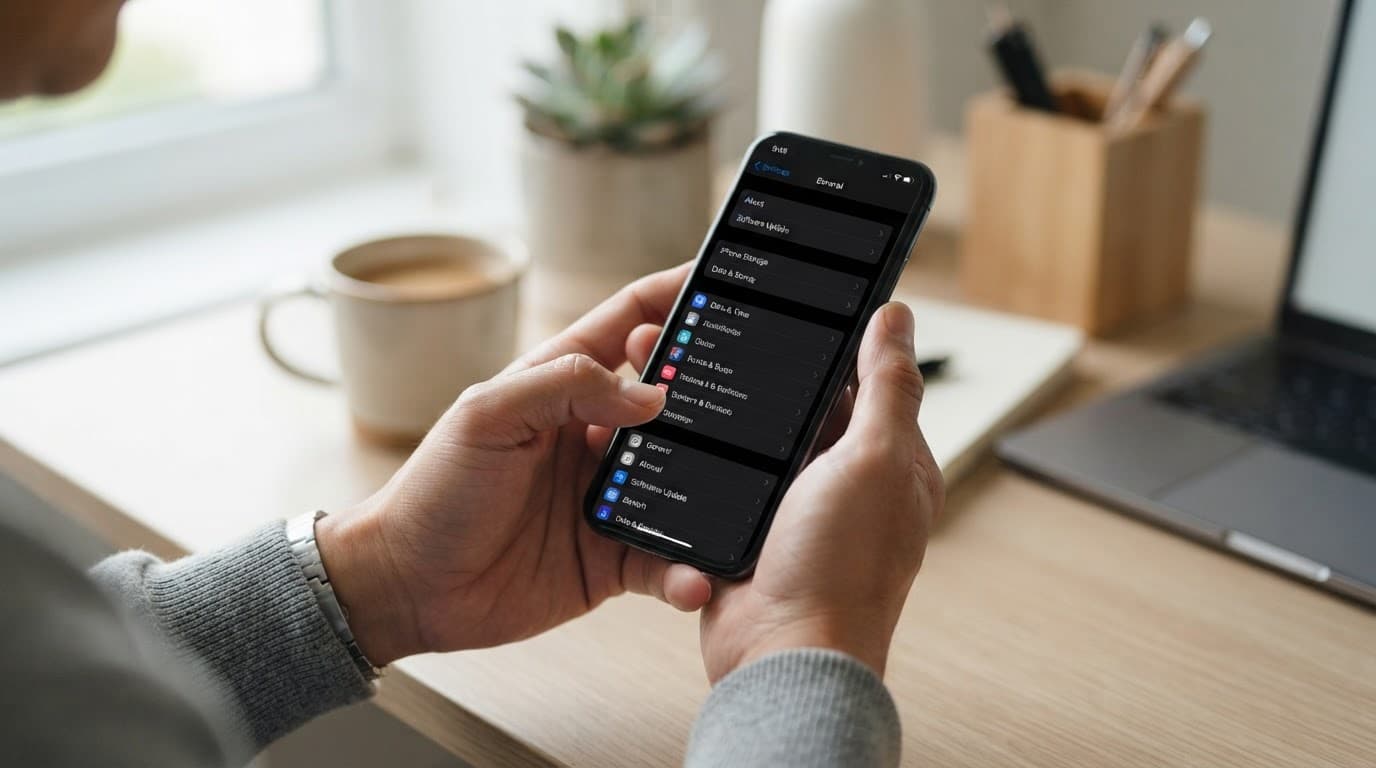
- Open the Settings app and select About phone or About tablet.
- Tap Software information, Version, or a similarly named item.
- Find Android security patch level, Android security update, or a similarly named entry.
- Record the full date shown for the Android security patch level, not only the month.
2026-06-05and2026-06-01can include different fixes. - Return to Settings, look for System update, Software update, or System & updates, and check for pending system updates and security updates.
When menu labels differ by manufacturer
Menu labels can vary by device manufacturer, so the same information may appear in a different submenu.
Google Pixel devices usually show the date under Settings > About phone, then the version details. On many Samsung Galaxy phones, open Settings > About phone > Software information and look for the date.
Motorola phones often place it under Settings > About phone, in the version details. OnePlus may use Settings > About device > Version, while Xiaomi and Redmi devices can show it under their detailed info and specs screen.
Software skins change over time, so the fastest route is often the Settings app search bar. Search for “security update,” “patch level,” or “Android security patch level.” Do not rely on the build number alone. It can help support staff identify software, but the manufacturer’s software updates screen is separate from the visible patch date.
If your phone reports no patch date at all, open the Settings app and check for pending updates first. A poorly supported device, an open source custom ROM, or another firmware build may lack vendor support and change what appears in Settings.
Check Play system updates separately
Modular system updates provide a second layer of maintenance for Android devices. Since Android 10, selected components can be delivered through the Google-delivered update channel without waiting for a complete manufacturer update.
Open source Android components and Google-delivered service components follow different update paths. Some proprietary service components, including Google Services Framework, may be maintained separately from open source Android code.
Google Services Framework is a service-layer component, not a replacement for Android’s main patch date. Google Services Framework may appear in technical reports. Many devices do not expose Google Services Framework as a user-visible setting.
On many phones, go to Settings > Security and privacy > System & updates > Google Play system update in the Settings app. Other devices use Settings > Security > Play system update. Settings search can locate it faster. Devices running a custom ROM may show different menu names or omit this option.
Install any available update, then restart the phone if prompted. The date shown here can differ from your Android security patch level, and that is normal. This modular delivery supplements security updates rather than replacing them. It cannot update every protected system or vendor component, so it addresses only some vulnerabilities.
Google Play Protect also deserves a quick check. Open the Play Store, tap your profile icon, and choose Play Protect. It scans apps for harmful behavior, yet it does not change your Android patch date. Treat it as an additional safeguard, not a substitute for system maintenance.
For a useful device record, keep these three values together:
- Android version
- Android security patch level
- Play system-update date
IT teams can collect the same values through their mobile device management tools. Home users can save them in a support ticket or device inventory note.
How current should your security patch be?
An Android security patch level that is a few weeks behind Google’s bulletin does not always indicate neglect. Manufacturers need time to adapt fixes, test vendor firmware across models, and obtain chipset updates. Modem firmware testing, carrier approval, and other checks can delay security updates that address vulnerabilities.
Still, a supported phone that is several months behind needs attention, so first check manually for OTA updates. Next, confirm the phone’s exact model, region, carrier variant, and support status with the device manufacturer. Android’s open source base doesn’t guarantee current vendor components or support. A U.S. carrier model can receive a build later than an unlocked version of the same handset, or the reverse.
Use this practical guide when reviewing the Android security patch level against the phone’s support window:
| Patch status | What it usually means | Sensible next step |
|---|---|---|
| Current or recently released | Your phone has a recent vendor-approved Android update | Continue checking monthly, or follow the vendor’s documented patch frequency |
| One to three months behind | The update may be in a staged rollout, delayed, or awaiting carrier approval | Check manually and review the maker’s support page |
| Several months behind on a supported phone | The update may have failed, been paused, or missed your device variant | Contact the manufacturer or carrier with your model and patch date |
| Far behind on a phone that has reached end of life | The vendor no longer provides Android security fixes, leaving known vulnerabilities unaddressed | Plan replacement or restrict the phone to low-risk use |
The Android security patch level should always be judged against the phone’s promised support window, including how long it receives security updates. A three-year-old flagship may receive a newer Android version, while a lower-cost model from that year may already be unsupported. Open source code availability and a custom ROM don’t automatically provide the manufacturer’s complete support coverage.
As of August 2026, Google offers seven years of Android OS and security support for the Pixel 8, Pixel 9, and Pixel 10 families. The Pixel 6 and Pixel 7 families, original Pixel Fold, and Pixel Tablet have five-year commitments, with Pixel Tablet security coverage scheduled through June 2028.
Samsung’s Galaxy S25 series has a seven-year policy for operating system and security support. Galaxy A56 5G, A36 5G, A26 5G, and A16 5G models have six years, but other Samsung models may have shorter commitments. Confirm the precise model on Samsung’s update-policy page for device security.
Why Android patch rollouts arrive at different times
Google publishes its security bulletin and supplies security updates and Android platform fixes to partners. The process begins with Android’s open source code and changes from upstream open source projects, including fixes for vulnerabilities.
Device makers then combine those changes with their own software, camera code, drivers, vendor firmware, and chipset updates. Partner integration involves open source changes, testing, and proprietary vendor components on every supported model. Public open source code doesn’t expose those proprietary components.
Hardware creates much of the delay when suppliers must provide component fixes for vulnerabilities. Qualcomm, MediaTek, Unisoc, and other suppliers may also handle open source kernel work, modem firmware, and chipset firmware.
Those components need testing before a manufacturer can complete a phone build. A build dated 2026-07-05 can show a later Android security patch level than 2026-07-01, even when related fixes overlap.
Carriers add another layer for some models. They may test calls, messaging, emergency features, mobile data, and regional network compatibility before approving carrier firmware. Staged deployment through OTA updates lets a manufacturer pause a release if early installs reveal a serious defect.
A modular Google Play delivery channel can arrive separately from a full manufacturer build.
Google Pixel phones often receive Google’s monthly builds early because Google controls both the Android build and the Pixel release process. Other brands follow different schedules, and patch frequency doesn’t make delivery simultaneous. A custom ROM project such as LineageOS follows its own release cadence. A delay doesn’t prove a manufacturer ignored a flaw, but long and unexplained gaps remain a security concern.
What to do when your phone is behind on patches
Start with the official update channel, then verify your Android security patch level. Connect to trusted Wi-Fi, charge the battery above 50 percent, and back up important photos, authentication codes, and files before installing security updates or a large system update.
A custom ROM such as LineageOS is a separate software path, not a substitute for the official channel. Don’t unlock or alter the bootloader merely to obtain an update.
Then take these steps in order:
- Open Settings > System update or Software update in the Settings app, then download and install all available system updates.
- Check Google Play system update separately and restart when Android requests it.
- Update installed apps through the Play Store. Prioritize browsers, password managers, messaging apps, and work tools, since their software updates often include security updates.
- Check the device manufacturer’s support page for your exact model and region. The phone’s marketing name can hide several regional variants with different update schedules.
- Ask your carrier or device manufacturer for help if the device remains behind despite showing no update. Provide the model number, Android version, Android security patch level, build number, and region.
- Replace the phone when official security support has ended. Sensitive accounts, payment apps, work data, and children’s personal information all make device security a priority.
Avoid unofficial update sites, random OTA files, unofficial firmware files, and apps that promise “one-tap” manufacturer updates. They can install unwanted software, expose vulnerabilities, or leave the device less secure. Unsupported custom ROM installation packages and unverified vendor firmware can break verified boot or alter the bootloader. An open source project isn’t automatically an official update source, and an open source package isn’t automatically safe.
Stick with official OTA updates, which remain the safest option.
Track patch levels across an organization
Enterprise mobility management platforms can report Android version, Android security patch level, device model, encryption status, compliance state, and last check-in time. They can also record the software security state, check bootloader state during enrollment, and recheck bootloader state later, where supported. Microsoft Intune, VMware Workspace ONE, Ivanti Neurons for MDM, and other tools use Android Enterprise management data for this reporting.
Security teams should compare the patch date with support commitments from each device manufacturer and the documented rollout schedule. A policy that blocks every device older than a fixed date can create false failures during a documented carrier rollout. Allowing obsolete devices to retain access to email and internal applications, however, leaves known vulnerabilities exposed.
A useful compliance policy for Android devices accounts for the device maker, support lifecycle, rollout documentation, and user risk. It should verify that security updates meet the organization’s requirements, even when a custom ROM or open source build reports a current patch date. Company-owned phones used by regulated or privileged users deserve stricter deadlines than lightly used shared devices.
A management platform can report a patch level and restrict access, but it can’t force a manufacturer to create an update for an unsupported model. Corporate devices shouldn’t rely on a custom ROM or open source build simply because the code is open.
Keep an approved-device list, review vendor update commitments before buying hardware, and remove end of life models from future procurement. Make patch frequency a purchasing and policy requirement, not an afterthought.
End of life phones and the custom ROM question
An unsupported Android phone may still handle calls, photos, and basic apps. It no longer receives fixes reflected in its Android security patch level. Newly disclosed vulnerabilities can remain exposed because it no longer receives security updates.
Replacement first
Replacement remains safest for a phone used for banking, work access, two-factor authentication, health information, or location-sharing services.
If replacement must wait, remove sensitive accounts and install app updates promptly. Use a strong screen lock and avoid unknown Wi-Fi networks.
When a custom ROM may help
A custom ROM can extend software support on some older phones. It isn’t a full substitute for an official manufacturer build.
Official manufacturer builds usually arrive through OTA updates, with hardware-specific testing and support included.
LineageOS is a common example. Its open source code can make provenance easier to inspect, while project updates may provide newer platform fixes.
Open source development can expose design decisions and build instructions. An open source project may still rely on proprietary vendor components.
Consider a custom ROM only when the project lists your exact model, publishes recent builds, and explains its update process. LineageOS documentation helps verify exact-model compatibility, but a similar model number isn’t enough.
Use a custom ROM only on a personally owned device that you understand. Review the project’s update cadence before choosing a custom ROM.
Bootloader and hardware limits
Installing a custom ROM usually requires unlocking the bootloader. That process may erase the phone and change its device-integrity state.
Some manufacturers restrict bootloader unlocking, and some models cannot accept a replacement recovery. Before recovery installation, confirm that the bootloader permits a custom recovery and that the project documents the process.
Relocking the bootloader after installation isn’t always supported. An unlocked bootloader can affect verified boot and device integrity checks.
AOSP’s open source layers cover much of Android’s foundation. Linux-derived open source components still sit alongside closed vendor code.
A custom ROM cannot reliably replace closed vendor firmware, drivers, or every hardware-specific security component. Open source code does not expose every vendor driver, firmware package, or hardware-specific key.
Those limits can leave known vulnerabilities in components the project cannot update. Even when the ROM is open source, hardware support may depend on undocumented vendor code.
Google-component compatibility
Google Play behavior varies by build. A custom ROM may bundle Google Play apps and services, omit those components, or use an alternative package.
The Google Services Framework may be included, modified, or absent. If the Google Services Framework is absent, some apps may fail sign-in, notifications, or location checks.
Even when the Google Services Framework is present, it doesn’t provide every platform fix. microG is an optional alternative for some apps, but it isn’t equivalent to every Google service.
Open source packaging makes component choices visible, but compatibility still depends on the app and device. A custom ROM’s open source base doesn’t guarantee complete Google services compatibility.
Installation and verification checklist
Before installing a custom ROM, use this checklist:
- Confirm the exact model and project status. LineageOS support must name your model, not just the product family.
- LineageOS project updates can change device support, so review release notes before each upgrade.
- Read the project’s open source repository and build process.
- Confirm that open source device-specific code and required binary blobs are documented.
- Follow bootloader unlocking instructions and understand whether data will be erased.
- Check whether relocking the bootloader is supported for that exact build.
- Confirm whether an unlocked bootloader affects banking apps or enterprise enrollment.
- Download the image and required firmware from official project instructions.
- Back up data before installation and confirm that you can restore it.
- Test verified boot after the bootloader state changes.
- Use a custom ROM only after reading the project’s update and recovery guidance.
Corporate-device suitability
For corporate devices, a custom ROM is usually unsuitable. It can complicate compliance, support, forensic review, and enterprise enrollment.
LineageOS may be well maintained, but it isn’t a substitute for a manufacturer’s managed build. A bootloader left unlocked can block enrollment, weaken verified boot, and complicate device-integrity checks.
A bootloader relock can also fail if the installed software doesn’t match the signed manufacturer image. Open source licensing doesn’t make a phone supportable under company policy.
The manufacturer’s firmware remains the safer choice for managed devices. A custom ROM can create untracked vulnerabilities when teams can’t verify its provenance or updates.
Frequently Asked Questions
What is the Android security patch level?
The Android security patch level is a date in the YYYY-MM-DD format that identifies the security fixes installed on your phone. It is separate from the broader Android version and does not show the day an update was downloaded.
How do I check my Android security patch level?
Open Settings > About phone or About tablet, then look under Software information, Version, or a similar menu. Search Settings for “security update” or “patch level” if you cannot find the entry, and record the complete date.
Why does my phone have a different patch date from another Android device?
Manufacturers must integrate Android fixes with vendor firmware, drivers, chipset software, and device-specific code. Carrier approval, regional testing, and staged OTA rollouts can also cause supported phones to receive the same patch level at different times.
Does a Google Play system update replace the Android security patch level?
No. Google Play system updates deliver selected modular components through a separate update path, while the Android security patch level covers fixes included in the main system software. Check both dates separately because one does not replace the other.
What should I do if my phone is several months behind on security patches?
Check for system and Google Play updates manually, then confirm your exact model, region, carrier variant, and support status with the manufacturer. If official support has ended, avoid using the phone for sensitive accounts and plan to replace it rather than relying solely on a custom ROM.
Keep the Patch Date in View
Monitor your Android security patch level to confirm your security patch remains current. Install official security updates and software updates, then check Google Play system updates separately.
A phone that no longer receives fixes may still power on, but it shouldn’t hold your most sensitive digital life. Supported software is part of device security, not an optional extra. An open source custom ROM such as LineageOS, even with an unlocked bootloader, doesn’t replace a supported manufacturer build.