
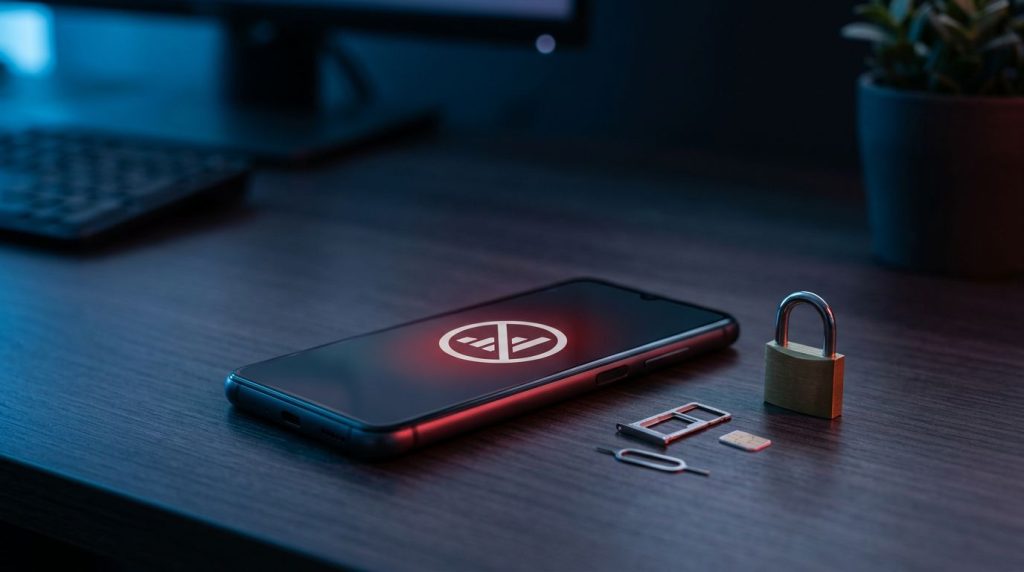
A sudden “No service” message can mean a local outage, but it can also signal that someone has taken your phone number. An Android SIM swap attack can turn text-message security codes into an attacker’s shortcut to your email, bank, and social accounts.
The safest response is fast and organized. Contacting your carrier comes first, then locking down accounts that use your number for recovery or text codes.
Treat a suspected takeover as an account-security incident until your carrier confirms otherwise.
Key Takeaways
- Persistent loss of cellular service combined with unexpected security alerts, password-reset emails, or account changes can indicate an Android SIM swap attack.
- Contact the mobile carrier first to reverse the unauthorized transfer, restore the line, and add a unique account PIN, SIM-change lock, or port-out protection.
- Secure the primary email and Google Account early, then review financial, social, cloud, and shopping accounts for unauthorized activity, changed recovery details, and unfamiliar sessions.
- Replace SMS verification with passkeys, authenticator apps, or hardware security keys, and keep independent recovery methods and backup codes.
- Preserve evidence and continue monitoring accounts after service returns because intercepted messages may already have enabled broader account takeover.
How a SIM swap takes control of Android accounts
A SIM swap attack happens when a criminal persuades a mobile carrier to move your phone number to a SIM card or eSIM they control. The physical card is a subscriber identity module, while an eSIM is a digital form of the same carrier-controlled identity. The victim’s physical Android phone still works on Wi-Fi, yet calls, texts, and mobile data stop because the number has moved elsewhere.
Attackers gather personal details from public social posts, compromised email accounts, and answers to security questions. This form of social engineering is often called SIM swapping or simjacking, and it can begin with phishing emails or data breaches. Criminals may impersonate the account holder during carrier support interactions, sometimes with help from dishonest employees or bribed insiders.
Once the carrier activates the fraudulent transfer, the attacker can request password resets. Services that use SMS verification send a one-time password to the attacker’s device. A strong password alone won’t stop an account takeover when the reset process trusts a stolen phone number.
This threat differs from Android malware. Malware runs on a device, while a SIM swap targets the carrier account and phone number. Both can occur in the same incident, so review Android apps and account activity after recovery.
The FTC’s SIM swap fraud guidance advises consumers not to share personal information in unexpected messages, calls, or emails. Those details can help a criminal pass carrier verification.
A normal signal problem often affects an area or clears after airplane mode, a restart, or a carrier outage update. A fraudulent SIM swap produces a more troubling pattern: persistent loss of service plus security alerts, password-reset emails, or changes you didn’t make.
Android SIM swap warning signs that demand action
Loss of cellular service is the clearest early warning, especially when the phone previously had reliable coverage. Still, a single dropped connection is not proof. Check for service problems on your carrier’s official status page and try placing a call after restarting the phone.

Urgent account recovery steps after a suspected swap
Use a laptop or another device that you trust. Avoid logging in through links in text messages or emails. An attacker may control the number and may have triggered convincing reset notices.
Begin with the mobile carrier. Use the number printed on a billing statement, a verified carrier app, or the official website. Explain that you suspect an unauthorized transfer. Ask the representative to confirm the change and reverse the fraudulent SIM swap. Request that staff stop any pending transfer, restore the line if needed, and add account-level protection.
Next, handle the accounts in the order that limits the most damage.
- Secure the carrier account first. Change its password and account PIN after you regain control. Ask the carrier to add a port-out or number-transfer lock where available. Record the case number, representative name, and time of the call.
- Protect your primary email account. Email controls password resets for many other services. Change the password, review recent security activity, remove unfamiliar devices, and check recovery methods for changed phone numbers or email addresses.
- Protect your financial accounts by calling banks, card issuers, and payment services. Use a number from the institution’s app, statement, or official website. Ask staff to check for new payees, password changes, transfers, new cards, and modified contact information. Request an account hold or additional verification if activity looks suspicious.
- Review social, cloud, and shopping accounts. End sessions you don’t recognize, remove unknown connected apps, and replace passwords that overlap with other accounts. Check direct messages for impersonation attempts sent to your contacts.
- Check identity records and credit activity. In the United States, consider a credit freeze if the attacker obtained information that could enable identity theft. Keep carrier and bank records in case you need to dispute transactions.
- Preserve evidence. Save screenshots of alerts, failed calls, unauthorized changes, billing notices, and transaction confirmations. Avoid editing message threads that may document the timeline.
This sequence keeps recovery focused when the incident feels chaotic.
| Priority | Account or system | Immediate action |
|---|---|---|
| First | Mobile carrier | Reverse the swap, stop port-out activity, set a new account PIN |
| Second | Primary email and Google Account | Change password, remove unknown devices, repair recovery methods |
| Third | Banking and payment apps | Report possible fraud and block suspicious transactions |
| Fourth | Social, retail, and cloud accounts | End sessions, reset credentials, replace SMS-based recovery |
| Same day | Identity monitoring and records | Review alerts, freeze credit if needed, retain evidence |
If service returns on your usual phone number, don’t assume the problem is over. The attacker may already have used intercepted texts to create new sessions elsewhere, leading to a full account takeover. Continue the review until every important account has a new password and stronger sign-in method.
Recover your Google Account without trusting SMS
Your Google Account deserves early attention because it may hold Gmail, Google Photos, saved passwords, Android backups, and device access. Start on a familiar computer or Android device where you have signed in before, if possible. A known device and normal location can help Google recognize a legitimate recovery attempt.
If you can still sign in, change the password and review the Security section. Remove unknown devices, inspect recent activity, update the recovery email, and check that the recovery phone number is yours. Google explains how to change or remove account phone numbers when a number is no longer safe.
If you are locked out, use Google’s account recovery options rather than paying a third party to “recover” the account. Enter only information Google requests on its own pages. Never give a recovery code to a caller, email sender, or chat agent who contacted you first.
A recovery email matters because it gives you an option that isn’t tied to the mobile number. Google also provides instructions to set up recovery information on Android. Use an email account with its own strong, independent sign-in protection.
After you regain access, check Gmail forwarding rules and filters. Attackers sometimes add forwarding addresses so they can keep receiving security notices even after a password change. Also review Google Wallet activity, shared documents, and connected third-party apps.
Settings names vary across Pixel, Samsung Galaxy, Motorola, OnePlus, and other Android phones. Carrier menus also differ by country and plan, so use the account security pages rather than relying on a single menu path.
Replace SMS codes with passkeys and authenticators
SMS verification is a form of two-factor authentication, but it has a weak point: the phone number. For email, financial services, cryptocurrency accounts, and administrator accounts, move to authentication that doesn’t depend on a text message.
A passkey can use the device’s screen lock, fingerprint, or face unlock to approve sign-in. Google describes passkeys as an alternative to passwords, and they resist many phishing attempts because they are tied to the legitimate website or app.
An authenticator app generates short-lived codes on your device. These apps remain available during a SIM swap unless you lose access to the device itself. Security keys, including hardware tokens, add another barrier, especially for IT administrators, public-facing staff, and people who manage high-value accounts.
| Sign-in method | SIM-swap exposure | Best use |
|---|---|---|
| SMS verification | High, because codes follow the number | Low-risk accounts when no stronger choice exists |
| Authenticator app | Low, because codes stay in the app | Most important personal and work accounts |
| Passkey | Low, tied to your device and approved sign-in | Google, financial, and supported consumer services |
| Hardware security key | Low, requires physical possession | Administrators, executives, and high-risk accounts |
Set up at least two recovery paths before removing SMS where a service permits it. For example, keep an authenticator app, a passkey on a trusted device, and printed or securely stored backup codes. Google’s backup code guidance can help when a phone is unavailable.
Don’t store backup codes in an unprotected note, cloud document, or email inbox. A password manager with a strong primary password can work, and a secure physical location works for printed copies.
A phone monitoring tool cannot secure an account after a number transfer. Tools marketed as a mobile hacking tool or a “spy app for Android and iPhone” can expose messages, authentication codes, and personal data. Only use monitoring or device-management software on devices you own or administer with clear, informed consent.
Add carrier locks and protect eSIM changes
Carrier controls block the step attackers need. Ask your mobile service provider for a unique account PIN, a SIM-change lock, and port-out protection. Don’t reuse the PIN from your phone lock screen, bank card, birth date, or online accounts.
Verizon customers can enable SIM Protection, which locks account lines against SIM card changes until the protection is turned off. T-Mobile describes Port Out Protection as a free account-fraud feature for eligible customers that can help block a port-out scam.
AT&T uses a transfer process that requires a Number Transfer PIN. Request such a PIN only when you are actually moving your number, and never share it with an unsolicited caller.
Ask a carrier representative these direct questions:
- Does my line have protection against an unauthorized SIM change or eSIM change?
- Is port-out protection active, and how is it removed?
- Is my account PIN different from a number-transfer PIN?
- Can I receive alerts for SIM, eSIM, device, or profile changes?
- What identity checks does the carrier require for an in-store change?
Treat your carrier PIN as an account secret. Because social engineering can target customer support, a legitimate representative may verify identity, but support staff shouldn’t need your Google password, bank login, one-time code, or authenticator code.
Android settings and team controls that reduce fallout
SIM swapping begins outside the phone, yet Android security still limits what happens next. Use a strong screen lock, keep the operating system and apps updated, and install apps only from trusted sources. Google’s August 2026 Android Security Bulletin lists current vulnerability fixes, so check whether your manufacturer has released the matching update for your model.
Keep Google Play Protect enabled and review unfamiliar apps with accessibility, notification, device-admin, or SMS permissions. Those permissions can expose sensitive content if a harmful app gets installed. Remove apps you don’t recognize, especially after a phishing incident.
Also confirm that Google’s device-finding service is available on the phone. Keep a record of the IMEI from the box, receipt, or carrier account. Device-finding and remote-lock tools help with theft, but they can’t reverse a stolen number. Carrier protections and account recovery methods still matter.
Parents and IT administrators should document who controls carrier accounts, recovery emails, security keys, and emergency contacts. For company-owned Android devices, use approved mobile-device management with visible policies and employee notice. Don’t collect private messages or track personal devices without lawful authority and informed consent.
For each high-risk account, assign an owner, a recovery method, and a response contact. That small record avoids a scramble when the usual phone number can’t receive calls or codes.
Conclusion
A SIM swap moves the crisis beyond a single phone. Fast carrier contact, email-first recovery, and direct calls to financial institutions can stop a temporary outage from becoming a broader account takeover.
The strongest long-term defense combines carrier locks with passkeys, authenticator apps, secure recovery details, and unique passwords. SMS codes can remain a backup, but they should not be the only key to your most important accounts.
Frequently asked questions
Can a SIM swap happen if my Android phone is locked?
Yes. A screen lock protects the physical phone, while a SIM swap targets the mobile carrier account and phone number. Keep both the Android device and the carrier account protected.
How long does SIM-swap recovery take?
Carrier restoration can take minutes or longer, depending on the provider and verification process. Account cleanup often takes longer because banks, email providers, and social platforms each need separate review.
Should I change every password after a SIM swap?
Start with your carrier, primary email, Google Account, financial apps, password manager, and social accounts. Then change passwords for any account that reused an affected password or relied on SMS recovery.
Does an authenticator app stop every account takeover?
No security method stops every attack. However, authenticator apps, passkeys, and hardware security keys provide stronger two-factor authentication than SMS codes. They make it harder for a thief to receive verification codes through a compromised number.