
An old Android phone can still make calls, run familiar apps, and hold years of photos. Yet when its manufacturer stops issuing patches, every newly disclosed flaw becomes a problem the device may never fix.
The steps below help you secure unsupported Android phones without pretending they are as safe as current models. With sensible limits, an older handset can remain useful while you prepare a safer replacement plan.
The first job is to understand what end of support changes, then reduce every avoidable risk.
Key Takeaways
- An unsupported Android phone no longer receives full manufacturer security patches, even if apps and Google Play system components continue to update.
- Check the Android security-update date, manufacturer support page, and exact model variant to confirm whether the device remains supported.
- Reduce exposure by limiting app installations, avoiding sideloaded APKs and risky networks, reviewing permissions, and keeping Play Protect enabled.
- Move banking, password managers, work accounts, authenticator codes, and other sensitive tasks to a supported device.
- A maintained custom ROM may extend a phone’s useful life, but replacing the device is safer when it handles high-value data or lacks a trustworthy path to continued protection.
Why end of support changes the risk
End of support means an unsupported Android phone no longer receives manufacturer security updates. Apps may still update through the Google Play Store, but those updates cannot repair every layer of the operating system.
Security patches can fix flaws in the system framework, media processing, Wi-Fi stack, kernel, modem components, and hardware drivers. Google Play system updates can improve selected modular components on compatible phones, but they do not replace full vendor firmware support.

Most cyber threats against old phones do not begin with a stranger remotely taking over a device at random. They often begin with phishing attempts, fake delivery notices, malicious apps, copied login pages, or harmful downloads. An unpatched device gives attackers more ways to reach messages, files, credentials, or financial accounts.
Some security vulnerabilities are actively exploited before every owner has a chance to update. The CISA Known Exploited Vulnerabilities Catalog tracks flaws with evidence of real-world exploitation. If a vendor has ended support, it may never ship a fix for a relevant issue.
The danger depends on what you do with the phone and its patch status. A retired handset used for offline music and emergency calls carries less exposure. A phone holding a password manager, work email, financial apps, and authentication codes carries more risk, especially on outdated Android versions.
An unsupported phone is not automatically compromised, but it should no longer be trusted with the same tasks as a fully patched device.
Check the Android version and security-update date
Don’t judge support status by the year you bought the phone. The Android version alone doesn’t prove whether the phone still receives security updates. A device released years ago may have received extended support, while another model may have reached its limit much sooner.
Start with the phone itself. On most devices, open Settings, then search for “Android version” or visit About phone. Look for three separate entries:
- Check the Android version to identify the operating system generation.
- Find the Android security update date, which shows the last full set of security patches installed.
- Review the Google Play system update date, which covers a smaller set of Android components.
- Use the update screen to check once more for available software updates over a trusted connection.
Next, search the manufacturer’s support page for the exact model number and region. Manufacturers, carriers, regions, and model variants can follow different schedules, creating OS fragmentation. Carrier versions may differ from unlocked versions, and a recent app update doesn’t prove the phone remains supported.
| What you find | What it means | Sensible response |
|---|---|---|
| A recent security patch and a published support schedule | The phone still receives vendor fixes | Keep automatic updates on and review status monthly |
| An old patch date with no future commitment | The device has likely reached end of support | Restrict sensitive use and plan replacement |
| A current Google Play system update but old Android patch | Some modules are newer, but core firmware remains exposed | Treat the phone as partially updated, not fully protected |
| Apps no longer install or hardware features fail | The model has reached end of life | Back up data and retire it |
The distinction matters when reading Microsoft’s research on Android security-update adoption. Patch availability and installation rates matter, but neither one means every older device remains supported forever.
A security patch date that is years old deserves more attention than the Android version alone. An old version with a recent vendor patch can be safer than a newer version abandoned shortly after release.
Reduce the attack surface on an older Android phone
Keep app installation paths narrow
For an unsupported device, every installed app is part of the security decision. Update apps promptly, but remove anything you no longer use. Old games, abandoned utilities, flashlight apps, copied keyboards, and unused social apps add permissions without adding much value.
Keep Google Play Protect enabled. In the Play Store, tap your profile icon and open Play Protect to confirm that app scanning is active. Play Protect can flag known harmful apps and warn about suspicious installations. It cannot fix flaws in the phone’s core software or catch every new threat.
Avoid third-party app stores, and never use sideloading apps to install an APK because a message, ad, forum, or video tells you to do so. Malicious apps can imitate a banking app, a delivery tracker, a streaming service, or a phone update. They may also request Accessibility access, notification access, or permission to install more apps.
Zimperium’s 2024 mobile threat research listed sideloaded apps as its largest Android threat category at 28%, while vulnerable non-upgradable Android versions accounted for 18%. Those risks often work together. An unsafe app has more room to operate when the phone no longer receives fixes.
A reputable piece of mobile security software can add helpful checks for mobile malware, risky links, app scanning, and theft protection. Malwarebytes and Bitdefender are established examples, although supported Android versions and available features can change. Confirm that any security product still supports your phone before relying on it.
Antivirus apps are an extra filter, not a repair kit. They cannot repair a flaw in the phone’s core software, rewrite old modem firmware, or make an abandoned phone suitable for high-risk work.
Audit permissions and special access
Review app permissions in Settings by searching for “Permission manager.” On older Android versions, the path may appear under Apps, Privacy, or Security. Check which apps can use your location, camera, microphone, contacts, call logs, SMS messages, and storage.
Set location, camera, and microphone access to “Allow only while using the app” where that option exists. Revoke permissions from apps that do not need them. A calculator does not need contacts. A wallpaper app does not need SMS access.
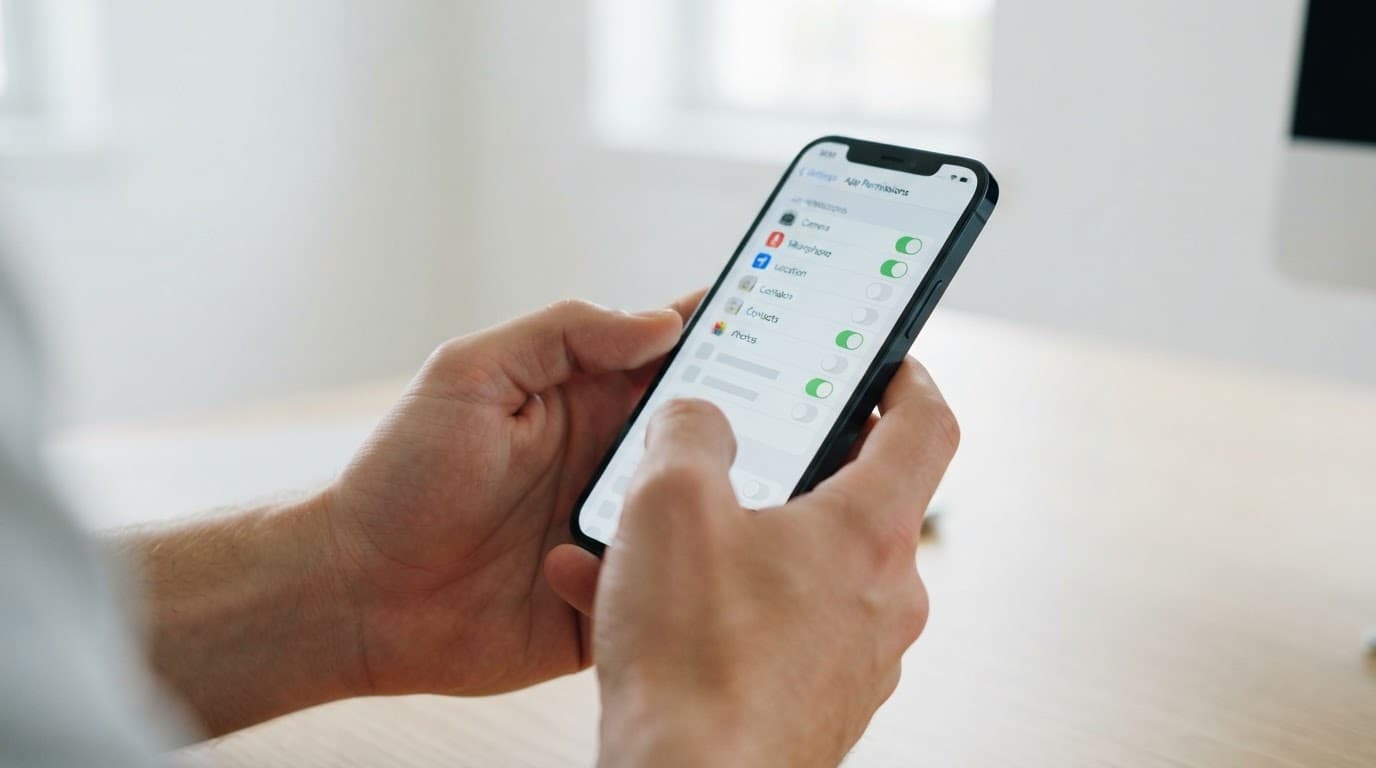
Also inspect special permissions. These controls can be more dangerous than standard camera access:
- Review Accessibility services, because they can read on-screen content and control parts of the device.
- Check Device admin apps, which can prevent normal removal or lock the device remotely.
- Disable Install unknown apps for browsers, file managers, chat apps, and cloud-storage apps.
- Look at notification access, usage access, all-files access, overlay access, VPN access, and apps allowed to appear over other apps.
Use the Settings search bar if menu names differ. If an unfamiliar app has powerful access, revoke its permissions and uninstall it. When it refuses to uninstall because it has device-admin rights, remove that privilege first.
If you suspect a compromise, disconnect the phone from networks and use another, supported device to change passwords. Back up only essential photos and documents, then perform a factory reset on the old phone. Do not restore every app automatically afterward.
Protect accounts and stop using the phone for high-risk tasks
A strong screen lock limits the damage after loss or theft. Set a random PIN with at least six digits, or use a longer alphanumeric password if the device holds sensitive accounts. Biometrics are convenient, but your PIN remains the fallback protection.
Turn off any convenience unlock feature that keeps the phone unlocked near a location or Bluetooth device. Add a SIM PIN if your carrier and workflow support one, and set a separate account PIN with the carrier to reduce port-out fraud.
Use a password manager on a supported device and create unique passwords, limiting damage after a data breach. For important accounts, use two-factor authentication with passkeys or authenticator-app codes; SMS codes are weaker and more exposed to phishing attempts and SIM-swap attacks.
Keep online banking, cryptocurrency, password vaults, privileged work accounts, and medical portals on supported hardware. An unsupported Android phone shouldn’t retain sensitive information or credentials. A current app version does not erase the risk of an old operating system underneath it.
Some apps use Google’s Play Integrity API to assess app licensing, device integrity, and other signals. Uncertified software or a weak security posture may fail those checks, so one app may work while another blocks sign-in or payments.
Passing a Play Integrity check is not proof that an old phone is safe. Failing one is a warning that the app no longer trusts its environment.
Don’t root the phone or install a bypass tool to force financial apps to run. That removes a useful warning and can expose credentials to far greater risk.
Treat networks, backups, and recovery as part of device security
Public Wi-Fi does not infect a phone by itself, but untrusted networks create opportunities for fake captive portals, malicious redirects, and local-network attacks. Disable automatic connection to open networks, and forget hotspots you no longer use.
For banking or account recovery, use cellular data or a trusted home network instead of public Wi-Fi. These choices lower exposure, but they cannot repair the phone. A reputable virtual private network (VPN) can reduce local Wi-Fi exposure, but it shifts some trust to the VPN provider. Avoid free VPNs with unclear ownership, broad data collection, or aggressive ads.
Private DNS can also help. On compatible Android versions, search Settings for “Private DNS” and select a trusted resolver. Encrypted DNS and domain filtering may block known malicious domains, yet they cannot stop every phishing page or malicious application.
Keep Bluetooth, NFC, and Wi-Fi off when you do not need them. Disable nearby-device discovery. Do not accept unexpected pairing requests, and never connect the phone to an unknown charging station as a data device.
Back up photos, documents, contacts, and account recovery information before the phone fails or must be reset. Store copies in a trusted account, encrypted drive, or computer. Keep two-factor authentication recovery codes accessible, then test that you can restore important files and sign in without the old handset.
If malware, ransomware, or account theft is suspected, preserve evidence such as screenshots and message headers. Then disconnect the device, revoke active sessions from a safe computer, and contact affected providers. The CISA ransomware response guide offers useful recovery and reporting practices, even when an incident begins on a personal device.
Consider a supported custom ROM or replace the phone
Supported custom ROMs can extend patching, with limits
A supported community build can give some devices a newer Android version and current security updates after manufacturer support ends. LineageOS is well known, but support varies by exact model and maintainer. A phone listed by a community project can still lose support later.
Consider this route only if an unsupported Android phone has an actively maintained build. Use a build released through an official project page. Follow the documented installation instructions for the exact model.
- Confirm the precise device codename, not only the marketing name printed on the phone.
- Check the project page for recent builds and verify the latest published security patches at the stated patch level.
- Download files only from the project’s official release location and verify published hashes or signatures.
- Read warnings about bootloader unlocking, app compatibility, encryption, cameras, and banking apps before starting.

Unlocking a bootloader usually wipes the phone. It can also break Play Integrity checks, payment apps, streaming protections, or employer controls. A ROM cannot update every closed-source component, including some modem and vendor firmware. Therefore, it can improve patch coverage without making old hardware equal to a newly supported device.
Avoid ROM files shared through random file hosts, private chat channels, or video descriptions. Those are common places for modified packages and bundled malware.
Set a hard replacement line
When the phone has reached end of life, replace it if it handles high-value data or lacks a trustworthy path to continued protection. Limit an old phone to lower-risk tasks while you move sensitive accounts elsewhere.
| Phone use | Can it remain temporary? | Safer policy |
|---|---|---|
| Emergency calls, offline music, alarm clock | Often, with minimal personal data | Keep it locked and avoid extra apps |
| Maps, casual browsing, basic messaging | Sometimes, with strict app hygiene | Avoid banking, work, and credential storage |
| Email, authenticator codes, cloud photos | Only during a short transition | Move accounts to a supported device |
| Banking, payment apps, enterprise access, admin accounts | No | Replace the phone before continued use |
For organizations, set a minimum support baseline and block noncompliant devices from work email and sensitive apps. NIST’s mobile-device security guidance is a useful reference for mobile-device management, access rules, and risk-based policies.
When buying a replacement, check the manufacturer’s published support commitment before looking at camera features or storage size. A longer support window offers more protection than a small hardware upgrade.
Keep monitoring tools legal, visible, and limited
A legitimate phone monitoring tool for a child or managed company device requires clear authority, visible setup, and limited data collection. Google Family Link and Android Enterprise are appropriate only when a parent, device owner, or employer has lawful control and users know the device is managed.
Covert surveillance is different. Spyware, remote-access trojans, and products promising unauthorized access can expose private messages, credentials, and location data. They can also create new entry points into the phone.
Don’t treat Download Pathfinder Rat as a source of phone protection or monitoring. Likewise, Verified Tor Onion Links should not be used to obtain APKs, remote-control tools, or purported fixes.
Authorized testing requires written consent, a defined scope, and a lawful purpose. Even a provider presented as Pro Ethical Hackers For Hire should meet those requirements before receiving access to any phone or account.
Frequently Asked Questions
Is an unsupported Android phone automatically unsafe?
No, an unsupported phone is not automatically compromised, but it has a growing security risk because newly discovered flaws may never be fixed. Limit it to lower-risk tasks and avoid storing sensitive credentials on it.
How can I tell whether my Android phone is still supported?
Check Settings for the Android security-update date and Google Play system update date, then search the manufacturer’s support page using the exact model number and region. A recent Google Play system update does not prove that the core Android firmware is still supported.
Can antivirus software make an unsupported phone safe?
Security software can help detect some malicious apps, risky links, and theft threats. It cannot repair vulnerabilities in the operating system, modem firmware, drivers, or other core components.
Should I use banking apps on an unsupported Android phone?
No, banking, payment, cryptocurrency, password-vault, medical, and privileged work accounts should be moved to supported hardware. Current app versions and successful Play Integrity checks do not remove the risks of an outdated operating system.
Can a custom ROM keep an old Android phone secure?
A maintained custom ROM can provide newer software and security patches for some exact models. It may still lack updates for closed-source components, break banking or payment apps, and lose community support, so verify the project and its recent patch level before relying on it.
A safer role for an older Android phone
You can secure unsupported Android phones by limiting apps, reviewing permissions, protecting accounts, avoiding risky networks, and moving sensitive work to supported hardware. These steps reduce exposure, but they cannot restore vendor support.
Keep the older handset useful for limited tasks when its risk matches its role. For banking, work access, account recovery, and identity-sensitive tasks, a supported phone is the safer long-term choice.