

A suspicious Android app can reveal more through its network behavior than its icon or permissions. A safer examination keeps that behavior inside a sealed lab, instead of letting an unknown APK reach a real phone or account.
The goal is defensible evidence, not to provoke a sample or defeat its protections. A careful setup helps you identify domains, connection patterns, encrypted sessions, and possible command channels without exposing people, systems, or private data.
Key Takeaways
- Analyze only authorized samples in a sealed lab using an emulator or sacrificial device, isolated networking, disposable identities, and clean snapshots.
- Establish provenance and static context before execution by recording hashes, package details, manifest behavior, permissions, signing data, and code indicators.
- Correlate gateway PCAP, DNS, TLS metadata, proxy results, device-side captures, application logs, and runtime events because no single collection point shows the complete picture.
- Interpret domains, encrypted sessions, permission use, and periodic callbacks as leads rather than proof; classify behavior only after corroborating evidence.
- Preserve precise indicators of compromise, redact private data, and report findings without weakening certificate controls, contacting suspected operators, or creating a second incident.
Set Legal Boundaries Before Android Malware Analysis
Only analyze apps you own, samples your organization is authorized to examine, or files supplied under a written research agreement. Approval should identify the sample, devices involved, permitted actions, data-retention period, and people responsible for the lab.
A phone monitoring tool, a so-called mobile hacking tool, or a spy app for Android and iPhone can cause serious privacy harm when installed without informed consent. Marketing language doesn’t make covert collection lawful.
Document the sample’s origin and scope
Record where the APK came from, when you received it, its cryptographic hash, and the case identifier before opening it. Keep the original file read-only. Work from a copied sample in the lab.
An app obtained from the Google Play Store still requires documented provenance, authorization, and scope before analysis. A seemingly legitimate utility could be a trojanized application, but that possibility requires verification rather than assumption.
Avoid unvetted download sources. A link that invites visitors to Download Pathfinder Rat doesn’t establish that a package is authorized, safe to handle, or appropriate for research. Likewise, a directory of Verified Tor Onion Links can’t replace documented provenance.
If a case needs outside support, a provider advertising Pro Ethical Hackers For Hire still needs a signed scope, verified identity, and clear evidence-handling rules.
Observe the malware, do not interact with it
Observation means launching the sample in a disposable environment and recording what it attempts. Active interaction includes replying to suspected operators, entering credentials, sending commands, or imitating a victim. Those actions can create legal and operational problems.
A failed connection or blocked TLS session is useful evidence. It isn’t a reason to weaken the sample’s defenses or contact its infrastructure.
Treat every app as if it can copy files, record inputs, request accessibility access, or probe the local network. Your lab should make those actions harmless.
Build a Contained Android Analysis Lab
A safe lab separates the Android client, capture systems, and everyday network. Use an Android emulator for most first runs. Keep one sacrificial test device for hardware-specific behavior, such as carrier checks, sensor use, or device fingerprinting.

Isolate the network path
Place the emulator or test device on a dedicated Wi-Fi segment or virtual network. Block routes to corporate resources, home devices, cloud drives, printers, and shared folders. Route outbound traffic through a monitored gateway, controlled DNS resolver, and optional interception proxy.
Unpatched hypervisor, emulator-host, gateway, or resolver vulnerabilities could create an escape path. Keep each component patched and verify that the lab has no unintended routes.
Log network metadata at the gateway even if the device rejects the proxy. This captures destination IP addresses, ports, DNS requests, timestamps, TLS handshake details, and traffic volume.
A short pre-run checklist helps prevent accidental exposure:
- Confirm the lab uses non-production Wi-Fi and has no access to internal subnets.
- Disable personal accounts, synced contacts, cloud backups, and saved browser credentials.
- Set outbound filtering rules before installing the sample.
- Start packet capture and DNS logging before the first launch.
- Take a clean emulator snapshot or device image before every run.
Use disposable identities and snapshots
Create fresh test accounts with no personal data, payment methods, recovery email, or real contacts. Don’t use a real phone number unless your organization owns and controls it for research.
Snapshots are your reset button. Revert after each execution, even when the app seems inactive. Some samples delay activity, wait for a reboot, or trigger only after a permission grant.
Android apps can define cleartext rules, trusted certificate authorities, and domain-level settings through Android’s Network Security Configuration. Those controls vary by app and Android version, so verify current emulator and device behavior against official documentation before each engagement.
Triage the APK Before You Let It Run
Dynamic traffic is easier to interpret when you know what the package claims to do. Static analysis should precede execution because it doesn’t run code and gives later dynamic analysis useful context.
Collect stable facts from the package
Calculate a SHA-256 hash for the Android application package (APK). Record its package name, version, signing certificate details, file size, and first-seen time. Use approved APK tools, including the JADX decompiler, APKTool, and related package-inspection utilities, to inspect AndroidManifest.xml.
Use manifest analysis to review exported activities, receivers, services, boot-complete listeners, accessibility-service declarations, and device-admin requests. Check unsafe configuration, exposed services, and unusually broad permissions for vulnerabilities.
A single permission rarely proves malicious intent. A flashlight app that requests accessibility access, notification access, SMS access, and background startup deserves closer review. Compare its declared purpose, manifest, signing details, and embedded resources for inconsistencies that may indicate a trojanized application.
Pithus and similar platforms can surface strings, permissions, embedded URLs, advertising SDKs associated with adware, tracking endpoints, encrypted payloads, and certificate data. Do not upload confidential, customer-owned, or regulated samples to a public service without authorization.
Treat code clues as leads, not proof
Search decompiled resources for domain names, IP addresses, WebSocket references, encrypted configuration blobs, unusual user-agent strings, and native libraries. Ghidra may help with limited reverse engineering when important logic sits inside compiled .so files.
Code obfuscation is common in both legitimate and malicious apps, so these findings should guide further review, not prove intent. Therefore, focus on relationships. A hard-coded host paired with a background service, retry loop, and network permission is more meaningful than a random string alone.
The OWASP Android Network Security testing guidance is useful when reviewing trust anchors, cleartext policy, and certificate pinning indicators. Keep package findings separate from runtime evidence until a capture confirms the connection.
Capture Traffic at More Than One Point
One capture source can mislead you during dynamic analysis. A proxy might miss encrypted or pinned traffic, while a gateway PCAP might show a connection without identifying its requesting process. Correlate runtime observations across a gateway, proxy, device-side capture, and application logs whenever possible.
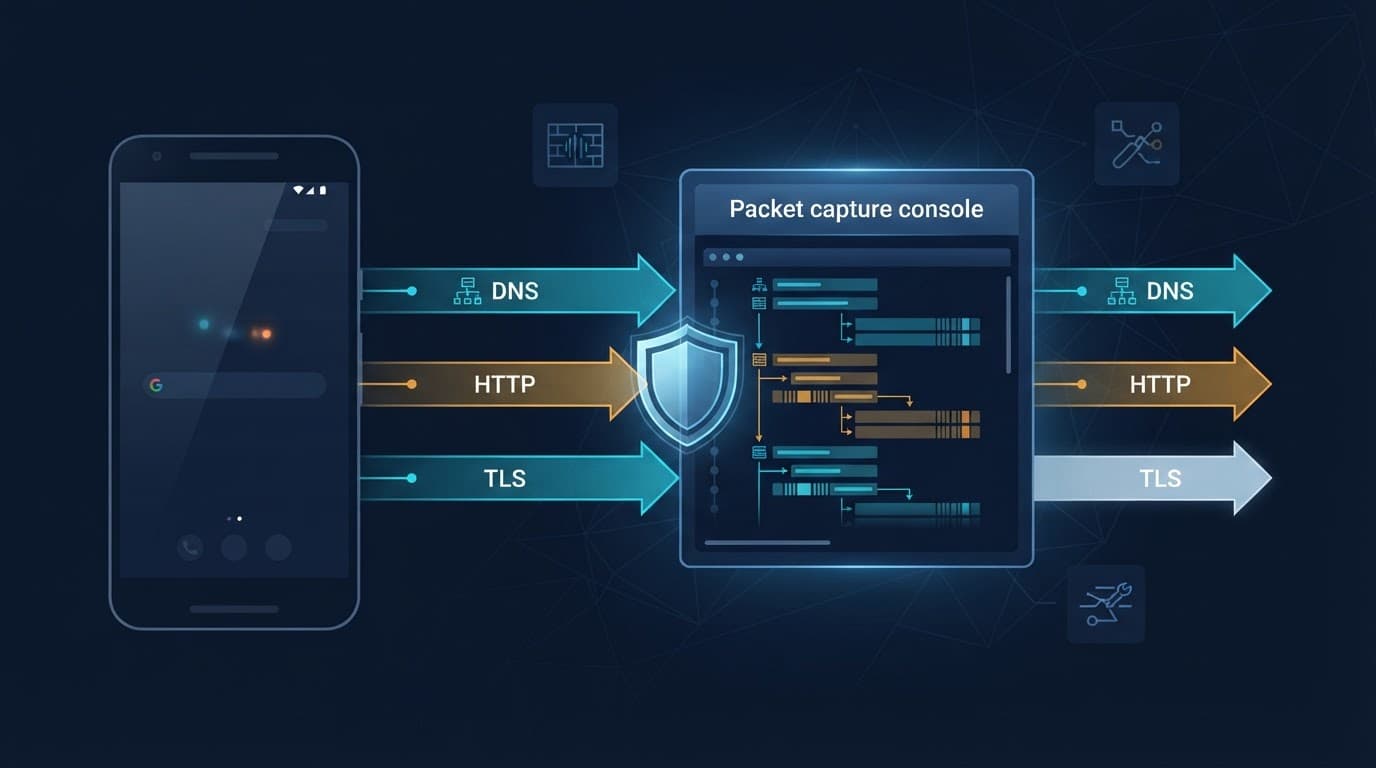
This comparison helps you choose the right evidence source.
| Collection point | What it can show | Strong use case | Main limitation |
|---|---|---|---|
| Gateway packet capture | DNS, IPs, ports, TLS metadata, traffic volume | Baseline view of all device traffic | Payloads remain encrypted |
| Explicit proxy | HTTP requests and responses when trusted | Inspecting a test app’s web traffic | Pinning and QUIC may limit visibility |
| Device-side capture | Packets close to the app environment | Validating device attribution | May need a rooted lab image or added tooling |
| Application logs | Errors, timing, and app state | Correlating launches with sessions | The app can omit or alter logs |
Save packet captures in a durable format
Use a capture workstation running Wireshark, tshark, or another approved collector. Save files as PCAP or PCAPNG. Give each file a case ID, date, device identifier, sample hash, and run number.
Some researchers use tcpdump on approved lab images or sacrificial devices with root access. Android doesn’t guarantee that every image includes it, so confirm the binary, interface names, and storage path within your controlled environment. Never install unknown utilities on a personal phone to capture an untrusted sample.
Configure a proxy without weakening the sample
An explicit proxy can reveal HTTP details when the app accepts the lab’s test certificate. Point only the emulator or sacrificial device at the proxy. Keep the proxy off personal devices and normal browsing profiles.
For adware, proxy results can distinguish ordinary ad requests from unexpected destinations or background connections.
Android’s network protocol security guidance explains why certificate validation matters. Treat certificate validation, custom trust stores, and pinning as security mechanisms to document, not defeat.
If a sample refuses the lab certificate, record the host, timing, error, and fallback behavior. Do not patch the APK, disable pinning, or modify system trust stores merely to expose content.
A proxy also doesn’t replace packet capture. Apps may use raw sockets, WebSockets, custom protocols, DNS-over-HTTPS, or QUIC over UDP port 443.
Read DNS, TLS, and Connection Metadata Carefully
Encrypted network communication still leaves a useful trail. DNS lookups, destination infrastructure, session timing, certificate details, and byte counts can identify patterns without decrypting payloads.
Start with DNS requests and failed lookups
Export requested domains with timestamps, query type, answers, and response codes. Repeated requests for a newly registered-looking domain, strange subdomains, or many failed lookups can justify deeper review.
However, analytics platforms, content delivery networks, crash-reporting services, and adware can also generate frequent DNS traffic. Compare the suspicious app against a clean baseline. Launch the emulator without the APK first, then capture a second run after installation.
A controlled resolver should log requests and block destinations according to your lab policy. It shouldn’t redirect the device to live command infrastructure or fabricate operator responses.
Use TLS metadata as context
For each TLS connection, capture the destination IP, port, Server Name Indication when visible, certificate subject, issuer, validity dates, fingerprint, negotiated version, and session duration. Certificate reuse across unrelated domains can be informative, but it doesn’t establish a security issue. Unusual settings may flag possible TLS-configuration vulnerabilities for separate validation.
Apps can define custom trust anchors and certificate pinning. The Android configuration reference for trust and pinning explains why a user-installed certificate may not permit interception.
A short, regular encrypted connection every few minutes may be a beacon. It could also be normal push messaging. Treat it as a possible command and control beacon only after correlating it with app lifecycle events, DNS changes, and process activity.
Interpret Android Malware Traffic Patterns
Dynamic analysis works best when you build a timeline. Mark installation, first launch, permission prompts, screen changes, backgrounding, reboot, and network events on the same clock.

Watch for behavior that conflicts with the app’s purpose
A wallpaper app that contacts one API for images may be normal. A trojanized application can present that interface while opening persistent encrypted sessions after accessibility permission is granted.
Possible warning signs include burst uploads after access to files or notifications, which may indicate an attempt to exfiltrate data. Correlate file-access or encryption-related activity with uploads and process events. Traffic alone cannot prove ransomware. Other signs include repeated low-volume callbacks at fixed intervals, hard-coded IP connections, many failed fallback destinations, or traffic that begins only after reboot.
Ransomware, adware, spyware, and remote-access malware can all produce overlapping traffic patterns across malware families. Classification should follow corroborated behavior, not a single hostname or permission.
A banking trojan may request accessibility access and abuse notification visibility or overlays, yet network evidence alone cannot prove credential theft. Mapping behavior to tactics techniques and procedures can support comparison, but it doesn’t attribute activity to a threat actor without independent evidence.
Turn observations into indicators of compromise
An indicator of compromise should be precise enough for another defender to validate. Record the value, source, time range, confidence, and reason for inclusion.
Your evidence checklist should include:
- SHA-256 hashes for the APK and extracted components.
- Domains, IP addresses, ports, and DNS answers observed during each run.
- TLS certificate fingerprints and any visible server names.
- Packet-capture file hashes, timestamps, and the collection point.
- Screenshots or logs that connect a network event to a device action.
Share only the minimum data needed. Redact internal IP ranges, test-account identifiers, device serial numbers, and any accidentally collected content before distributing a report.
Separate Spyware From Stalkerware Without Guesswork
Malicious software such as spyware collects information without valid consent. Stalkerware often describes surveillance software deployed by someone close to the target, such as a partner or family member. Ransomware can make extortion visible, while adware may generate obvious advertising requests, but surveillance cases require heightened victim-safety precautions.
Both may involve permission abuse through accessibility, notification, or other sensitive capabilities. However, the surrounding harm, intent, and victim-safety concerns differ.
Accessibility permission deserves close attention
Android accessibility services are designed to help users interact with devices. Malware can abuse that access to read screen content, observe notifications, automate taps, or resist removal. During Android malware analysis, record when the permission prompt appears and whether network activity changes after approval.
Do not grant broad permissions automatically. Run separate, documented tests for each permission state, then revert to a clean snapshot after every test.
Focus on evidence, safety, and reporting
In a suspected spyware case, preserve evidence carefully and avoid alerting a possible abuser through visible app changes. Follow organizational incident-response procedures and prioritize the affected person’s safety.
For enterprise cases, block confirmed infrastructure at the DNS, proxy, or firewall layer. Then notify affected users through approved channels, rotate exposed credentials, and review managed-device telemetry for related indicators.
FAQ
Can I analyze an APK on my everyday Android phone?
No. Use an emulator or a dedicated sacrificial device on an isolated network. Personal phones contain accounts, contacts, location history, authentication tokens, and private files that an app could access.
Does encrypted HTTPS traffic make analysis impossible?
No. Packet captures still show connection timing, DNS activity, IP addresses, ports, TLS properties, and data volume. A proxy may reveal more if the app accepts the lab certificate.
What should I do when certificate pinning blocks my proxy?
Document the failed handshake and preserve the packet capture. Continue with metadata analysis, static review, and authorized threat-hunting work. Don’t bypass the control just to decrypt the session.
Keep the Lab Safer Than the Sample
A reliable investigation depends on containment, repeatable captures, and careful interpretation. A domain or periodic TLS session becomes useful only when it matches the package, device timeline, and surrounding evidence.
Snapshots, non-production accounts, layered captures, and strict privacy controls keep the investigation focused on the app, not the people around it. Good evidence is collected without creating a second incident.