

One special-access approval can expose far more than an app’s own alerts. This abuse can turn notification previews, banking prompts, and one-time passcodes into data for an untrusted app.
That risk matters because many people treat notification access as a harmless convenience setting. It isn’t. A listener may receive content from unrelated apps, even when it never asks for SMS permission.
Understanding this permission boundary supports security and privacy. It helps users remove risky apps and helps developers build useful notification features without becoming part of the problem.
Key Takeaways
- Android notification listener access can expose notification text, app names, previews, and actions from many unrelated apps after one special-access approval.
- An untrusted listener may capture OTPs, password-reset alerts, banking notices, and account-recovery links even when it has no SMS permission.
- Users should regularly review Notification access or Special app access, revoke unexplained access, remove suspicious apps, and secure exposed accounts from a trusted device.
- Developers should request listener access only when essential, limit processing to user-selected apps, keep sensitive data local, discard it quickly, and provide clear disclosures and an off switch.
- Notification listeners should be treated as high-risk capabilities, especially when combined with accessibility services, overlays, sideloading, or unusual network activity.
How Android notification listener abuse starts with a trusted permission
Android’s NotificationListenerService, commonly called a notification listener service, is a public API for apps that need to react to notifications. Password managers, wearables, car interfaces, and productivity tools can use it for legitimate reasons. After a user approves this special access in a dedicated Settings screen, the operating system can send the service events when notifications appear or disappear.
Those events may include the originating app, notification title, message preview, timestamp, and available actions. The exact data varies by Android version, device policy, and notification design. Still, the potential scope is broad because a single listener can observe alerts from many installed apps.

Notification access is separate from normal runtime permissions, including dangerous permissions. An app might show no request for contacts, sms messages, or storage. Yet it may still receive message previews and authentication codes through notifications. This gap can mislead users who check only an app’s standard permission list.
This capability is not automatically malicious. The question is whether the app’s stated function justifies access to every other app’s notifications. A smartwatch companion may have a clear answer. A wallpaper, flashlight, game, or coupon app usually does not.
An OTP can remain exposed even when an app never receives SMS permission, because a notification preview may carry the same secret.
The data reaches beyond text messages
A notification listener can expose more than text-message codes. Email verification links, account-recovery alerts, delivery updates, card-transaction notices, and approval prompts can all contain sensitive context.
Lock-screen privacy settings help limit what nearby people can see. However, they don’t replace a review of apps with this special access. A malicious listener operates inside the device after the user has approved its listener privilege.
On Android 13 and later, POST_NOTIFICATIONS controls an app’s ability to send notifications. It does not limit a listener that already has permission to read notifications. Android 14, Android 15, and current releases still require users and administrators to audit this capability separately. Menus can differ between Pixel, Samsung, and other Android builds, but those differences don’t remove the risk.
Why notification listeners can expose OTPs and 2FA tokens
A one-time password has a short lifespan, but it can still unlock a high-value account during that window. Financial institutions, email providers, social networks, and marketplaces may send codes through SMS or display them in an app notification. If the full code appears in the preview, an unauthorized listener may collect it.
This isn’t a cryptographic break. The code arrives on the device through a legitimate channel, then becomes visible through a second channel the user approved. Encryption in transit doesn’t protect notification text once the phone displays it to an authorized listener.
Research into SMS one-time password weaknesses has documented broader problems with how applications generate and verify SMS OTPs. Notification exposure adds another concern: a code may leave the message inbox and appear in an alert that third party apps can read.

For users, the best long-term response is to reduce reliance on codes displayed in notification text. Passkeys and authenticator-based approvals can reduce SMS OTP dependence. They still require account recovery protections, current device software, and careful review of unexpected sign-in prompts.
Developers can help by keeping notification copy minimal, since this exposure may not produce runtime warnings associated with dangerous permissions. “Your sign-in code is ready in the app” exposes less than placing the full code in the notification body. That choice may add a tap for the user, yet it removes an easy source of reusable authentication data.
Notification content can reveal the larger account story
An OTP alone may not be enough for account takeover. Yet paired with a phishing page, a stolen password, or an active session, it can become part of an account-takeover path. That path may involve credential stealing and defeat an extra authentication step.
Notifications also reveal which bank, email provider, or shopping service a person uses. Attackers value this context because it helps them time fraud around real activity. A notification about a password reset or new-device sign-in can guide social engineering attempts even when it contains no code.
For defenders, a sudden stream of unfamiliar security alerts deserves attention. Treat it as a possible account incident, review sign-in history from a separate trusted device, and change passwords only after removing the untrusted app or isolating the handset.
Why Android malware prefers notification listeners over dangerous permissions
Android malware often seeks the widest useful view with the fewest obvious prompts. SMS permissions are dangerous permissions and draw attention. This special access is also sensitive, but it can collect code previews from SMS, email, banking, and messaging apps under one approval.
The abuse usually begins with deception, not a technical bypass. Malicious actors may present a harmful app as a utility, update, delivery tracker, media tool, or finance app, then pressure the user to grant listener privilege for a feature that doesn’t need it. Sideloaded apps carry added risk because they may sit outside normal Google Play Store review and update controls.
Google Play Protect treats listener privilege as a high-risk signal when it appears alongside other sensitive capabilities in apps installed from web sources. In fraud investigations, defenders watch for combinations of notification listeners, accessibility services, overlay behavior, and unexplained network activity, which create security risks. Microsoft’s toll-fraud malware analysis shows why investigators may reverse engineer suspicious packages and examine these combinations instead of judging an app by its icon or store description.
The differences between common access types are useful when triaging a suspicious app:
| Access type | What it can expose | Why it attracts abuse |
|---|---|---|
| Notification listener access | Alert text, previews, app names, and some notification actions | One approval can cover notifications from many apps |
| SMS permission | SMS messages and code delivery | Direct access to a common OTP channel |
| Accessibility service | Screen content and user-interface actions | Can be misused to manipulate or observe other apps |
| Notification posting permission | Ability to send an app’s own alerts | Does not grant access to other apps’ alerts |
A normal Android app cannot silently approve this special access for itself. Claims of “automatic” permission grants often describe user-interface coercion, misuse of a separately enabled accessibility service, device compromise, or enterprise-level management on a company-owned device. Those situations need different incident responses, but none make unexplained listener access safe.
Safe notification-listener design for app developers
A legitimate notification listener should have a narrow purpose that users can verify quickly. Ask whether the feature can work through the app’s own notifications, a share sheet, account integration, or user-selected imports instead. This special access should be the last option, not the default data source.
If the service is justified, explain the feature before sending the user to Android’s system approval screen. Make the same disclosure in the Google Play Store listing. State which notifications the app needs, what it processes locally, whether it stores content, and how users can disable the feature. A vague explanation such as “needed for better performance” isn’t informed consent.
Use these least-privilege boundaries when building quick reply or notification-management features. Apply the same test to dangerous permissions and special capabilities: each should have a clear purpose and limited scope.
- Process notifications only from apps the user explicitly selects, rather than collecting everything and filtering later.
- Keep data on the device when the feature allows it, and discard notification content as soon as the action completes.
- Require a clear user action before sending a reply, dismissing an alert, or triggering any automatic reply or notification action.
- Treat attached
PendingIntentobjects, including a quick reply intent, as opaque and sensitive. Do not copy, replay, store, or transmit actions that another app created. - Give users a visible off switch, a retention setting, and clear information in plain-language privacy policies.
A recent study of PendingIntent provenance confusion highlights why notification actions deserve extra caution. A notification’s action is not a generic automation hook. It may carry authority intended for the original app and user interaction.
Developers also need to separate platform capability from permission to automate another service. A public Android API does not override a bank’s, messaging platform’s, or social network’s terms of service. If a quick reply feature automates interactions with a third-party service, review that service’s developer rules and get legal advice before release.
NLRadar offers a useful model for internal security reviews. Its hybrid approach combines static analysis, such as checking a manifest for declared listener services, with runtime observation of notification handling and outbound data flows. Neither method is enough alone. A declared listener may be legitimate, while encrypted traffic alone does not prove theft. Together, they can identify apps that collect broad notification data without a feature that explains the behavior.
Detecting and removing unauthorized listener access
Start with the Android Settings search box and look for “Notification access” or “Special app access.” Review every listed app. Revoke access from anything you don’t recognize, anything you no longer use, and any app whose purpose doesn’t require this visibility.
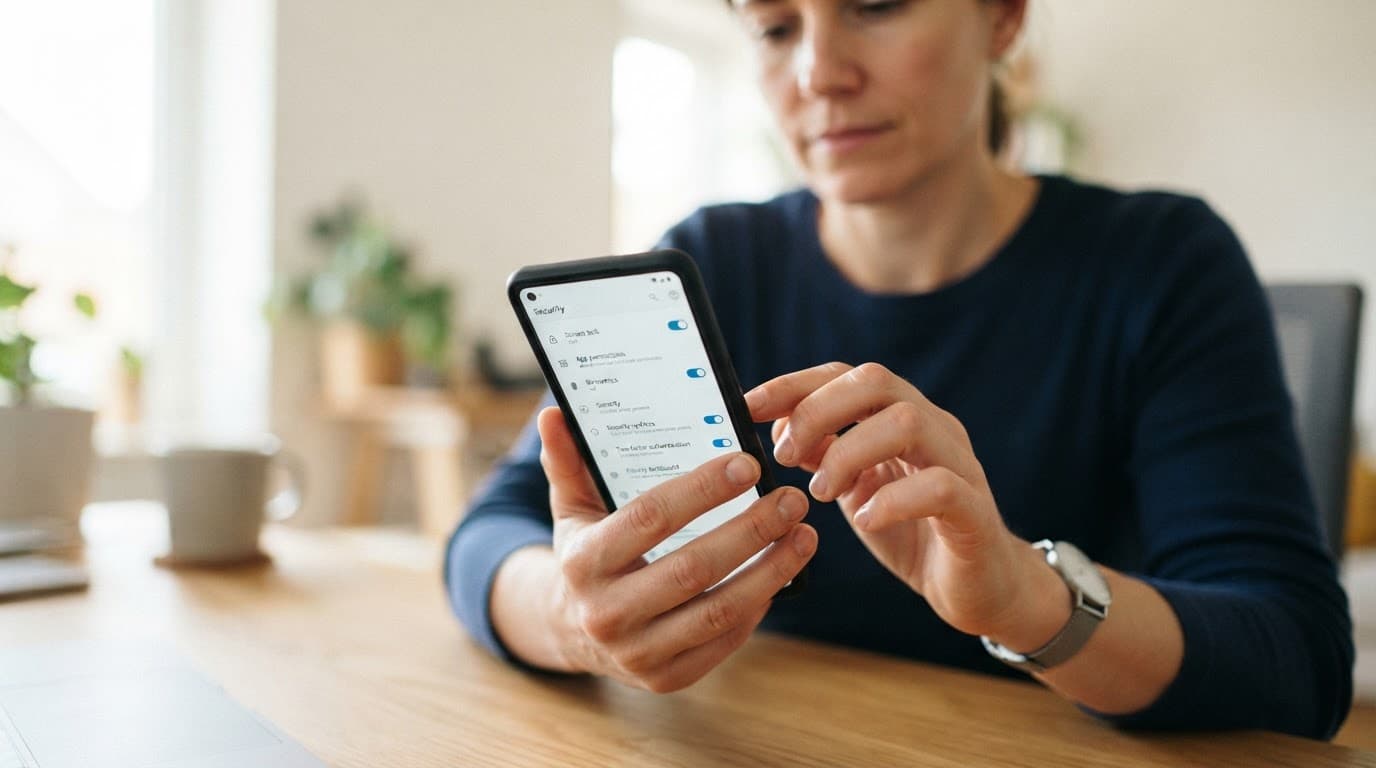
Then check the app’s source, install date, permissions, battery use, and whether it came from the official google play store. Unknown apps with generic names, disabled icons, or unusual battery and data consumption deserve investigation. Review this capability alongside other dangerous permissions, then run Play Protect, install pending Android security updates, and remove suspicious software. If evidence points to android malware or removal fails, boot into safe mode or follow the device maker’s support guidance.
A suspected OTP theft incident also requires account protection:
- Use a different, trusted device to change exposed passwords and end active sessions.
- Review recovery email addresses, phone numbers, recent sign-ins, payment methods, and forwarding rules.
- Contact the bank or service provider through its official support channel if financial accounts are involved.
- Consider a factory reset after preserving evidence for IT, law enforcement, or the affected service’s fraud team.
CISA’s guidance on managing mobile applications supports regular access reviews. Treat this capability with the same care as location, microphone, SMS, or accessibility privileges.
What parents and IT teams should do differently
Parents should discuss this capability with a child or teenager before installing monitoring or safety software. A transparent agreement is safer than covert surveillance, and it gives the child a clear way to report suspicious permission prompts. Monitoring can also expose communications from friends, schools, medical services, and other third parties, so privacy still matters.
IT administrators should use Android Enterprise controls, managed Google Play, approved-app lists, and mobile threat defense to reduce sideloading. Security teams can flag managed apps that declare listener access or request accessibility services. Review whether each app’s business purpose and privacy policies match those requests.
Don’t assume an MDM platform can see or control every personal app on a bring-your-own-device phone. Work profiles create important separation. Policies should state what the organization can inspect, what it cannot inspect, and how employees can report a suspected mobile compromise.
Legal use, terms of service, and misleading surveillance claims
A public android api is not a blanket license to collect another application’s data. A platform’s terms of service can prohibit automated actions, data extraction, account sharing, or use outside approved integrations. Privacy laws may also restrict interception, monitoring, and storage of communications, especially when the device belongs to another adult.
An indie developer who receives a cease and desist letter should pause the disputed behavior and review the relevant terms of service. They should preserve product documentation and communications, then seek legal counsel, but receiving such a letter is not proof of liability. The technical fact that an API is public does not settle contract, privacy, intellectual property, or consumer-protection questions.
Marketing labels should also trigger caution. Terms such as “phone monitoring tool,” “mobile hacking tool,” and “spy app for Android and iPhone” can normalize secret access. They may also conflict with platform rules, including google play store policies. iPhone and Android have different security models. Claims of invisible, universal monitoring are therefore warning signs.
Legitimate parental-safety and enterprise-management products need informed consent, visible disclosures, data minimization, and a lawful basis for collection. If a product’s main promise is hiding itself or reading another person’s private account data, it belongs in an incident report, not on a device.
Frequently Asked Questions
Can a notification listener read OTPs without SMS permission?
Yes. If an SMS, email, or banking app displays the code in a notification preview, an approved listener may be able to receive that text without direct access to the message inbox. This is why notification access must be reviewed separately from normal runtime permissions.
How can I check whether an app has notification access?
Search Android Settings for Notification access or Special app access, then review every listed app. Revoke access from apps you do not recognize, no longer use, or cannot clearly justify.
What should I do if I suspect notification-based OTP theft?
Use a different trusted device to change exposed passwords, end active sessions, and review recovery details, recent sign-ins, payment methods, and forwarding rules. Contact affected financial or online services through official channels, and consider preserving evidence before removing the app or resetting the phone.
Does Android 13’s notification posting permission prevent notification listener abuse?
No. POST_NOTIFICATIONS controls whether an app can send its own notifications, while notification listener access controls whether it can receive notifications from other apps. These are separate capabilities and require separate reviews.
How should developers design a safe notification-listener feature?
Request the access only when the feature genuinely needs it, explain the purpose before the system approval screen, and process notifications only from apps the user selects. Keep content on the device when possible, avoid storing or transmitting sensitive data, treat notification actions as opaque, and provide clear retention and disable controls.
Keep listener permission on a short list
A broad special access permission can look routine, allowing this abuse to escape scrutiny. The strongest defense is a short, explainable list of apps with listener permission, combined with safer authentication choices and prompt account recovery when something looks wrong.
For developers, the same standard applies: collect only the notifications a user knowingly selected, keep sensitive content local, and never turn a convenience feature into a covert surveillance channel. This capability is powerful because it is trusted, so it should always be treated as high-risk access.